Darshan Tech Solution
PAN Aadhaar Link with Penalty
YouTube Video
PAN Aadhaar Link with Penalty
1. Visit Income Tax Website
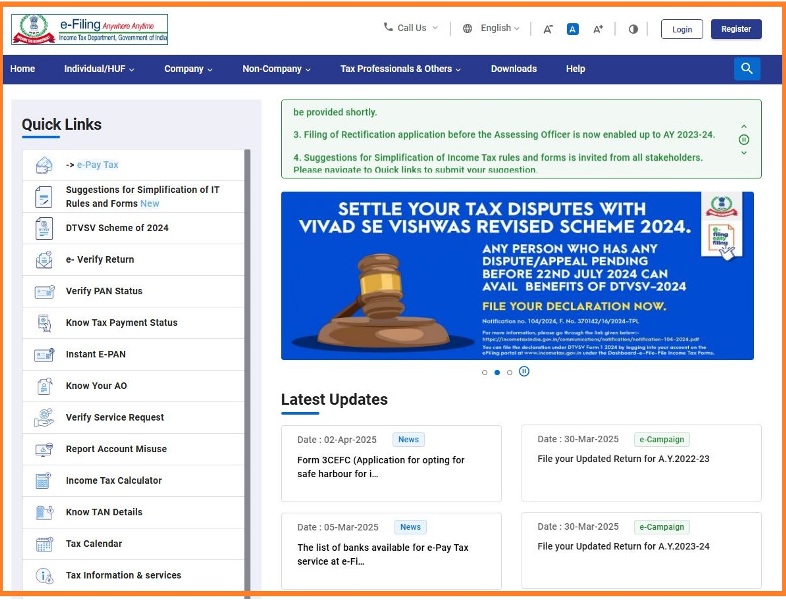
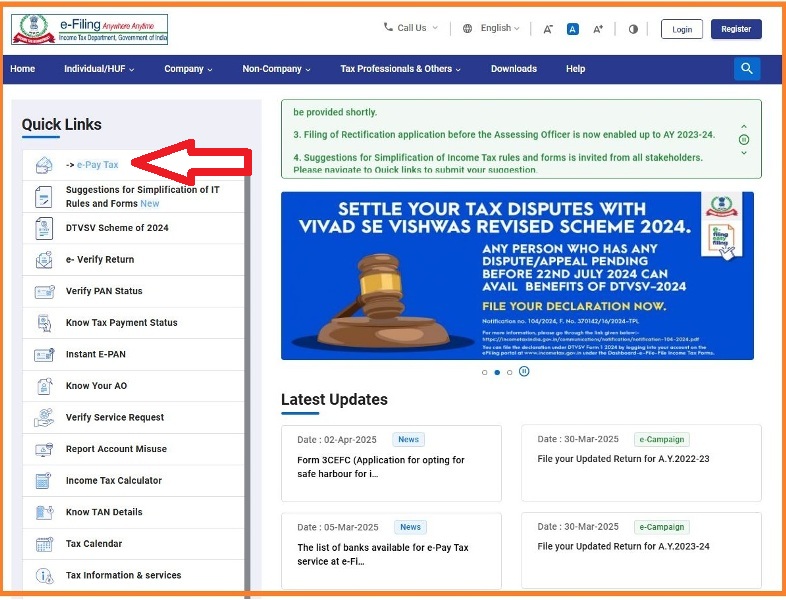
2.Click e-Pay Tax placed in top left corner
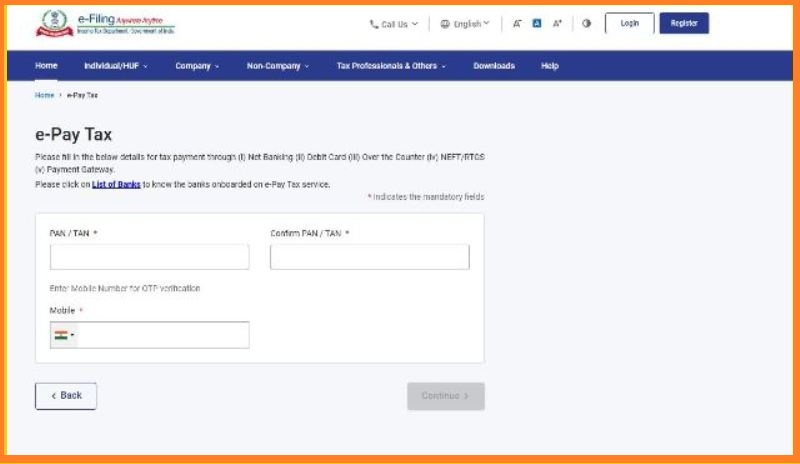
3. On next opened screen enter the PAN number and Mobile number then Click Continue
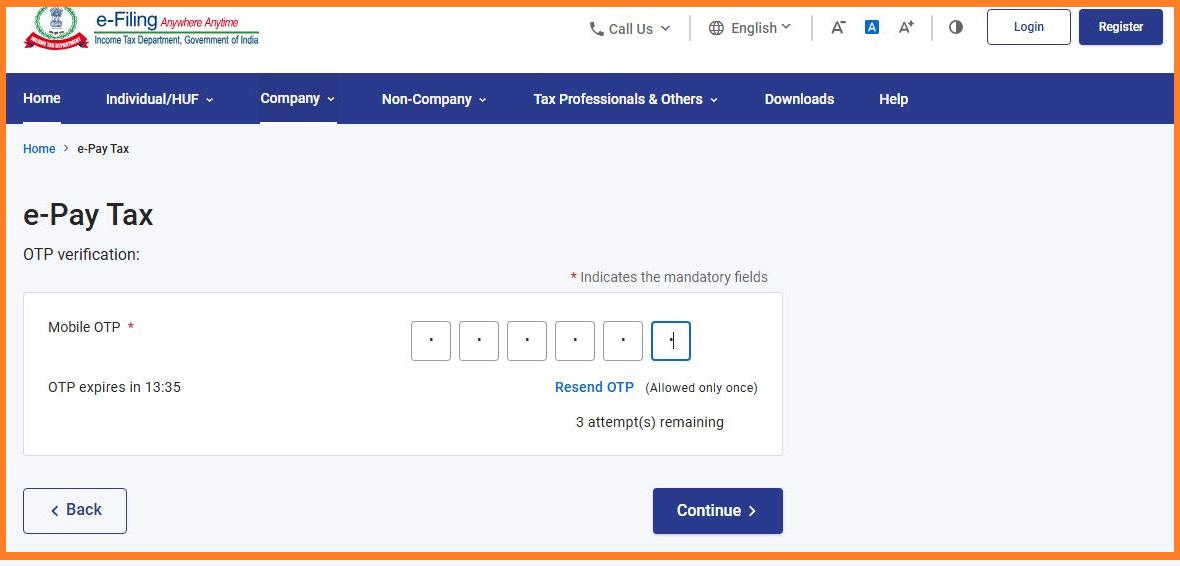
4. OTP will be receive to your mobile number Enter the OTP then Click Continue
5. After OTP validation, check your name visible on the page then Click Continue
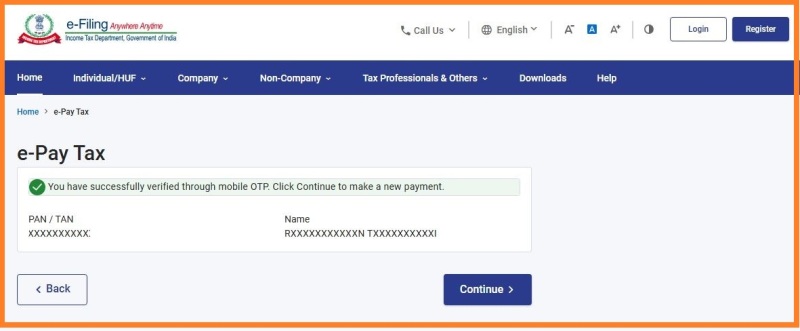
Watch on You Tube
6. On the next screen Click Proceed
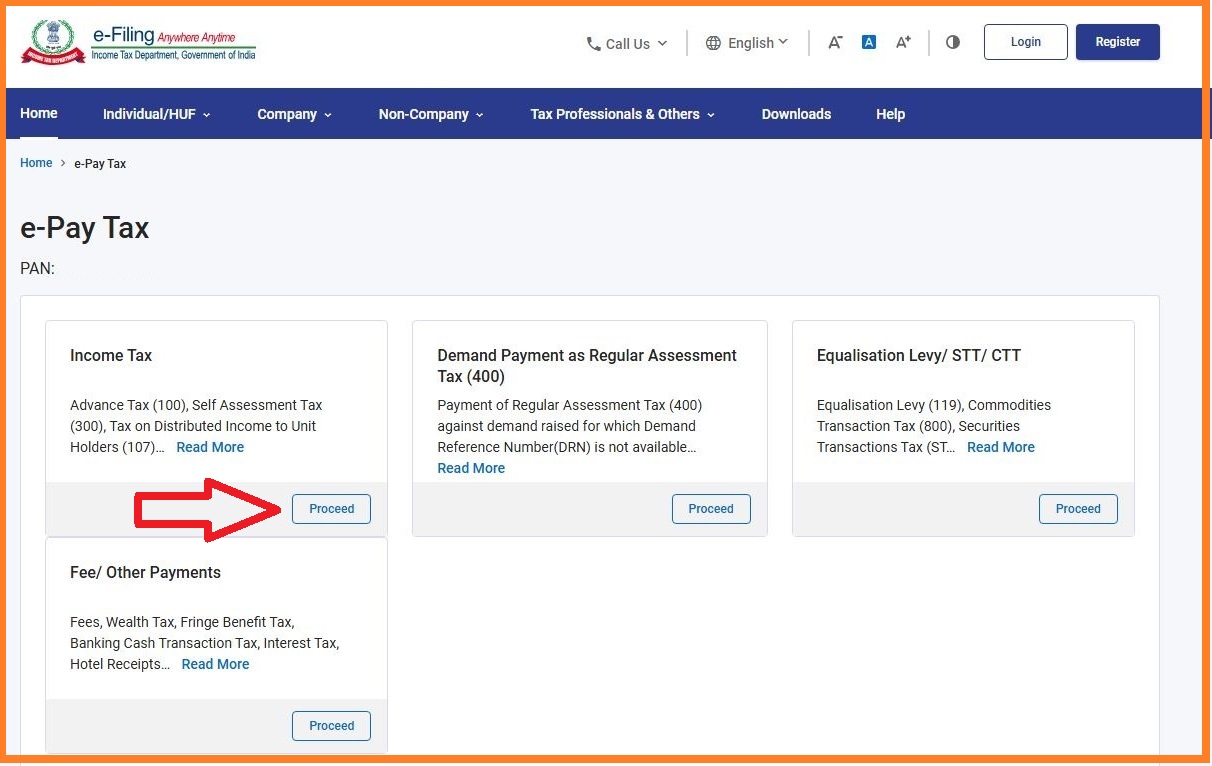
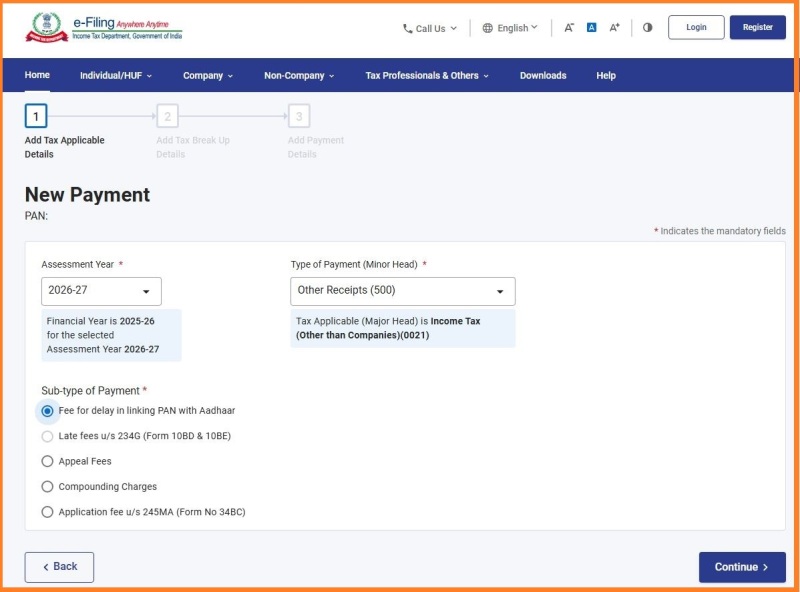
7. Choose the
- assesment year (Current financial year 2025-26 means then the assesment year should be 2026-27)
- Type of payment (Other Receipts - 500)
- Sub-Type of Payment (Fee for delay in linking PAN with Aadhaar)
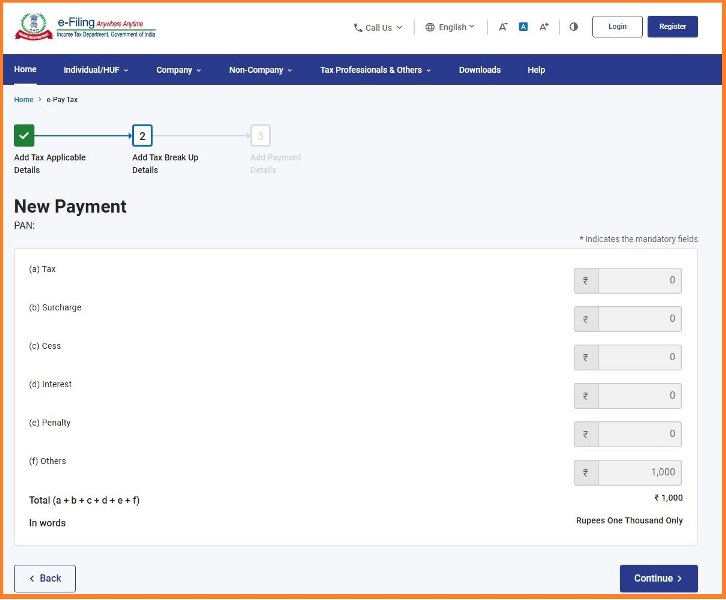
8. Preview the payment Click Proceed for the online payment
9. After sucessfully completed the payment come again the home page of the website Income Tax Website then Click Link Aadhaar
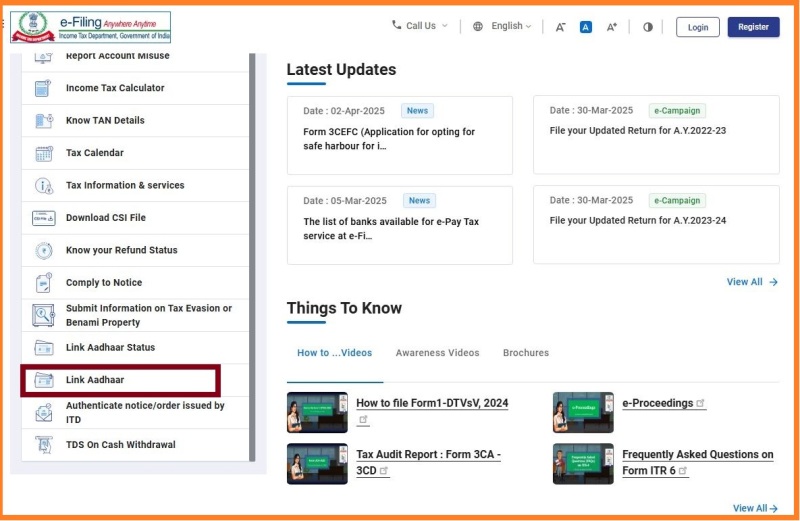
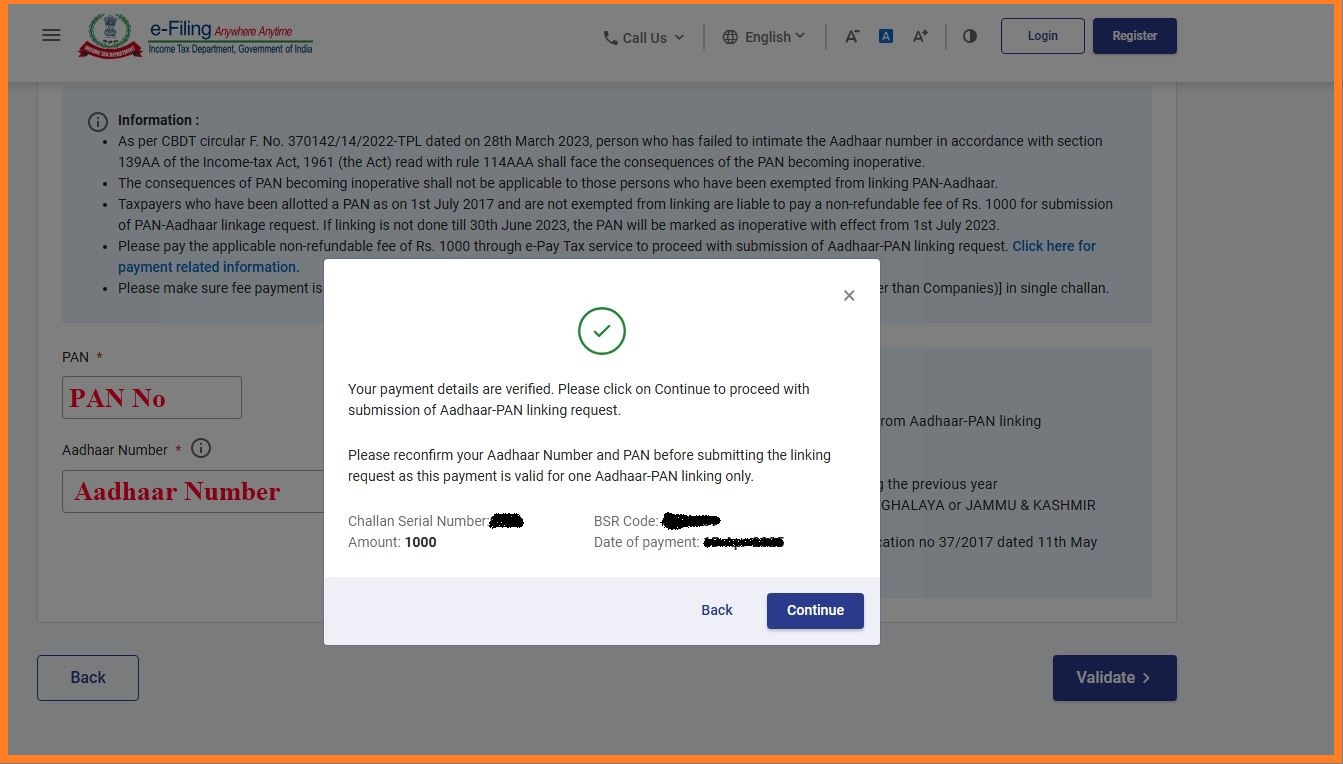
10. Enter the PAN and Aadhaar Number Click Validate . Now It will show the payment details, Click Continue
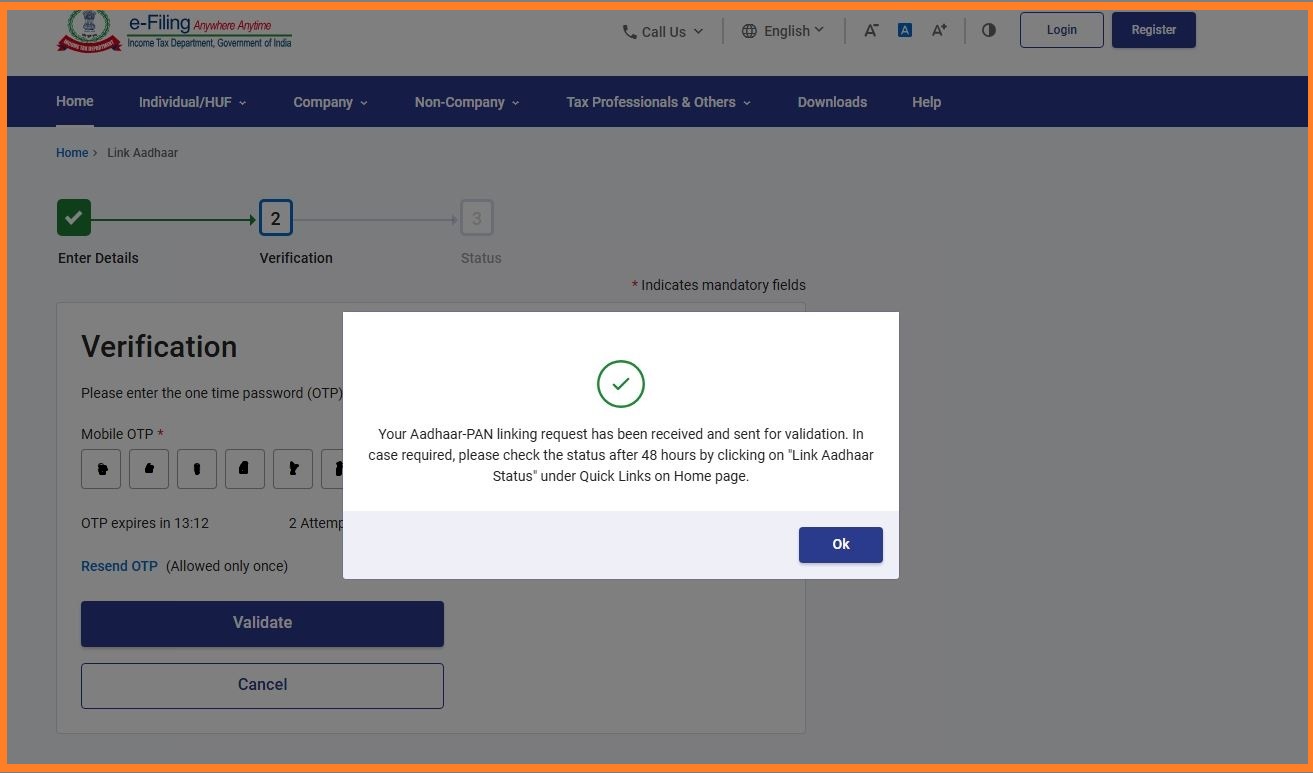
11. OTP will be receive to your mobile number Validate the OTP . Thatsall It will link max 48 hrs.
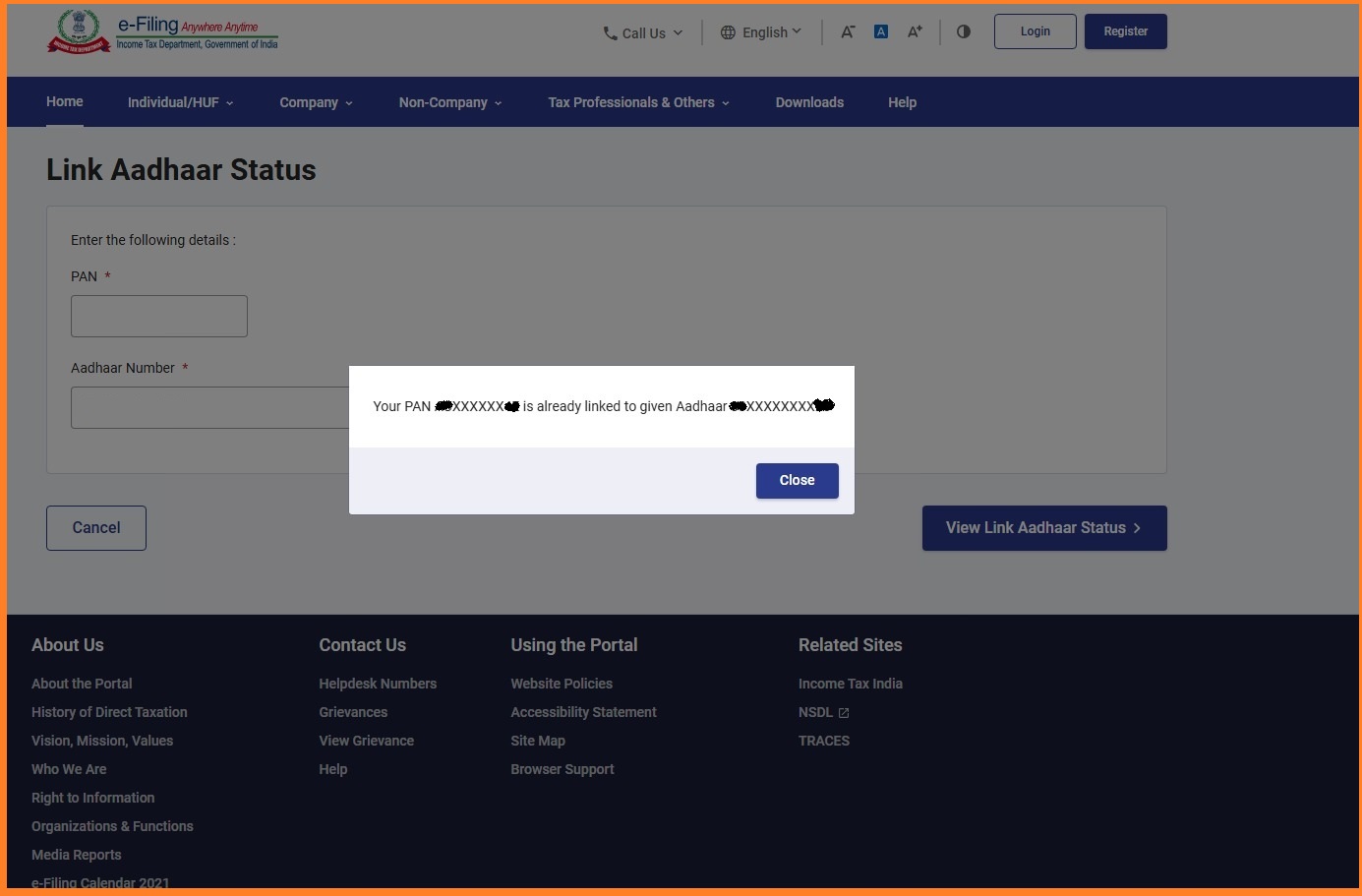
11. Check status after 48 Hrs. It will update
Follow on my Social Media


